From Sketch to Production: How AI-First Design-to-Code Automation is Reshaping Creative Workflows in 2025

The Shift from Supplementary to Core: AI-First Design is Here
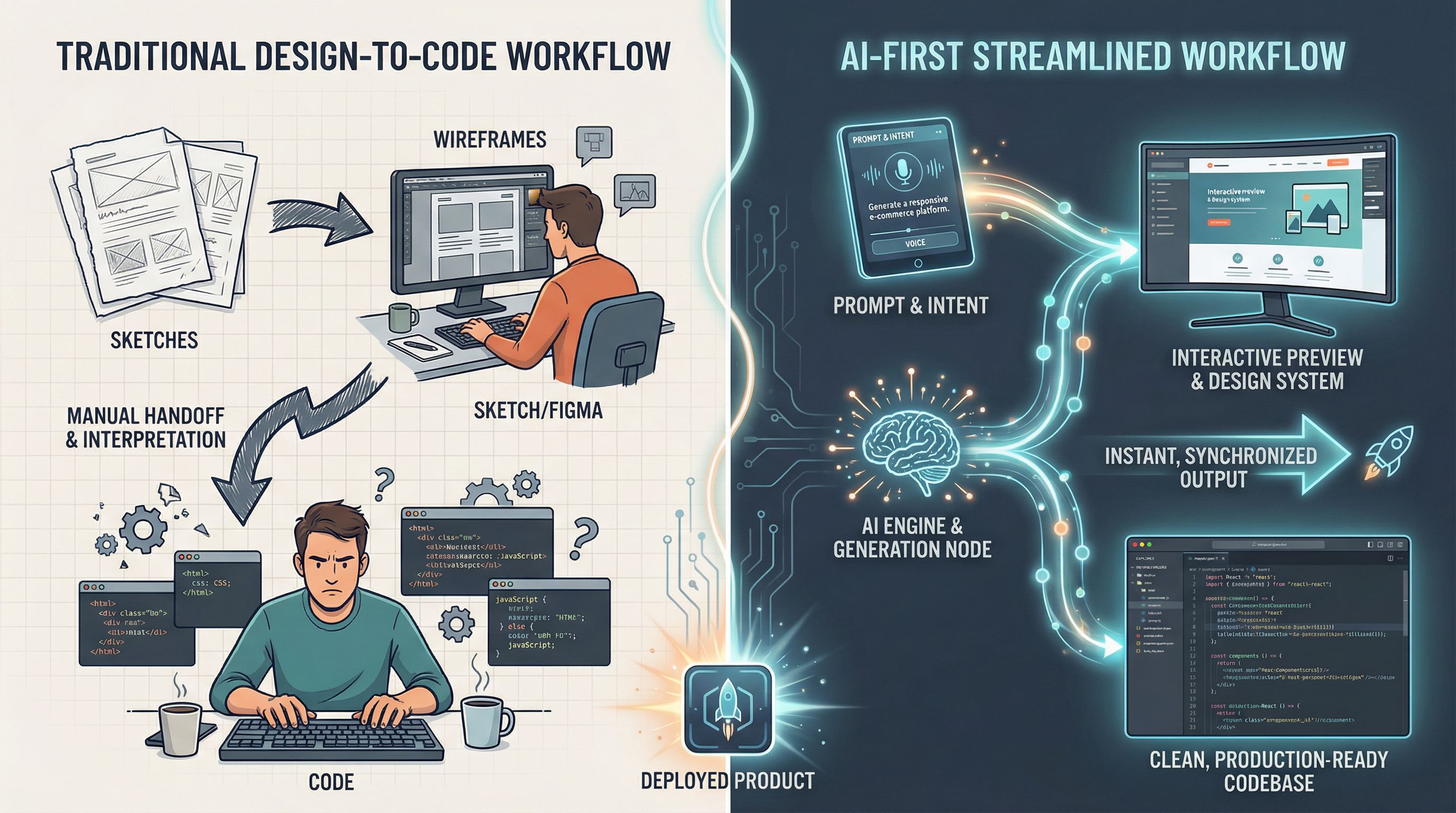
Remember when AI in design tools felt like a novelty? Those days are gone. We've crossed a fundamental threshold in 2025—we're no longer talking about AI-infused applications where AI is a nice-to-have feature bolted onto existing workflows. Instead, we're witnessing the rise of AI-first design applications where artificial intelligence is integral to the core design process itself.
According to Forbes' analysis of generative AI trends, this represents a fundamental shift in how we approach application design. Companies like Airbnb are already using AI to generate production-ready code directly from hand-drawn wireframe sketches—something that would've seemed impossible just two years ago. What used to be a three-step manual translation (sketch → mockup → code) is now condensed into an intelligent, automated workflow.
This isn't just about speed. It's about reimagining what's possible in the relationship between design thinking and technical execution. AI-first design means the intelligence isn't sitting on the sidelines suggesting optimizations—it's actively participating in the creative process, learning from your design system, and anticipating your next move.
The implications are profound. Designers can now spend less time on mechanical translation work and more time on the strategic, creative decisions that actually matter: user research, experience design, and emotional resonance. Developers get cleaner, more consistent code. And products ship faster without sacrificing quality.
The Numbers Don't Lie: Real Productivity Gains Are Here
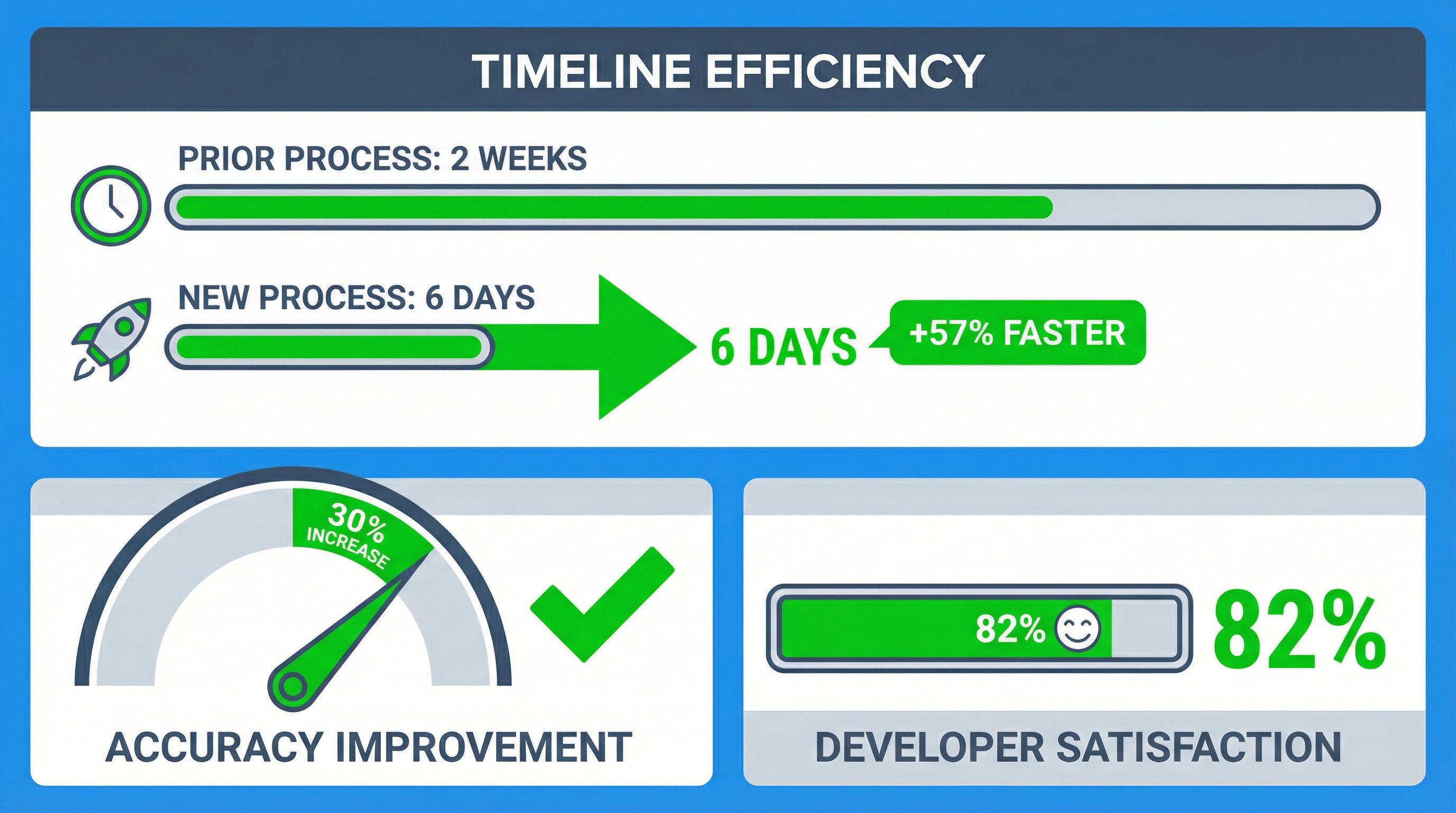
Let me be direct: the productivity improvements from design-to-code automation are real, not hype. Gartner's research shows that AI-based design-to-code automation tools can reduce frontend development time by as much as 45% while simultaneously increasing design accuracy by 30%. That's not a marginal improvement—that's transformative.
Think about what that means practically. A feature that took your team two weeks to translate from design to production-ready code could now be live in six days. That freed-up time compounds. You're not just moving faster; you're creating capacity for your team to tackle more ambitious projects, iterate on user feedback more rapidly, or simply reduce crunch before launch deadlines.
According to Figma's 2025 AI report, developers report an 82% satisfaction rate with AI tools, and 68% feel AI improves the quality of their work. That's remarkable adoption and confidence from the people actually using these tools daily. Developers aren't just tolerating AI in their workflow—they're genuinely more satisfied with their output when AI assistance is present.
But here's what's important: these gains don't come from magic. They come from eliminating the busywork. When you remove the repetitive tasks—writing boilerplate code, ensuring pixel-perfect consistency across responsive breakpoints, managing style consistency, debugging UI elements across browsers—developers can focus on architectural decisions, performance optimization, and the creative problem-solving that distinguishes great products from adequate ones.
The 45% time reduction and 30% accuracy improvement represent a shift in what we consider "the job" of translation design to code. It's no longer the bottleneck—it's the baseline.
From Prototyping to Production: Enterprise-Grade Code Generation
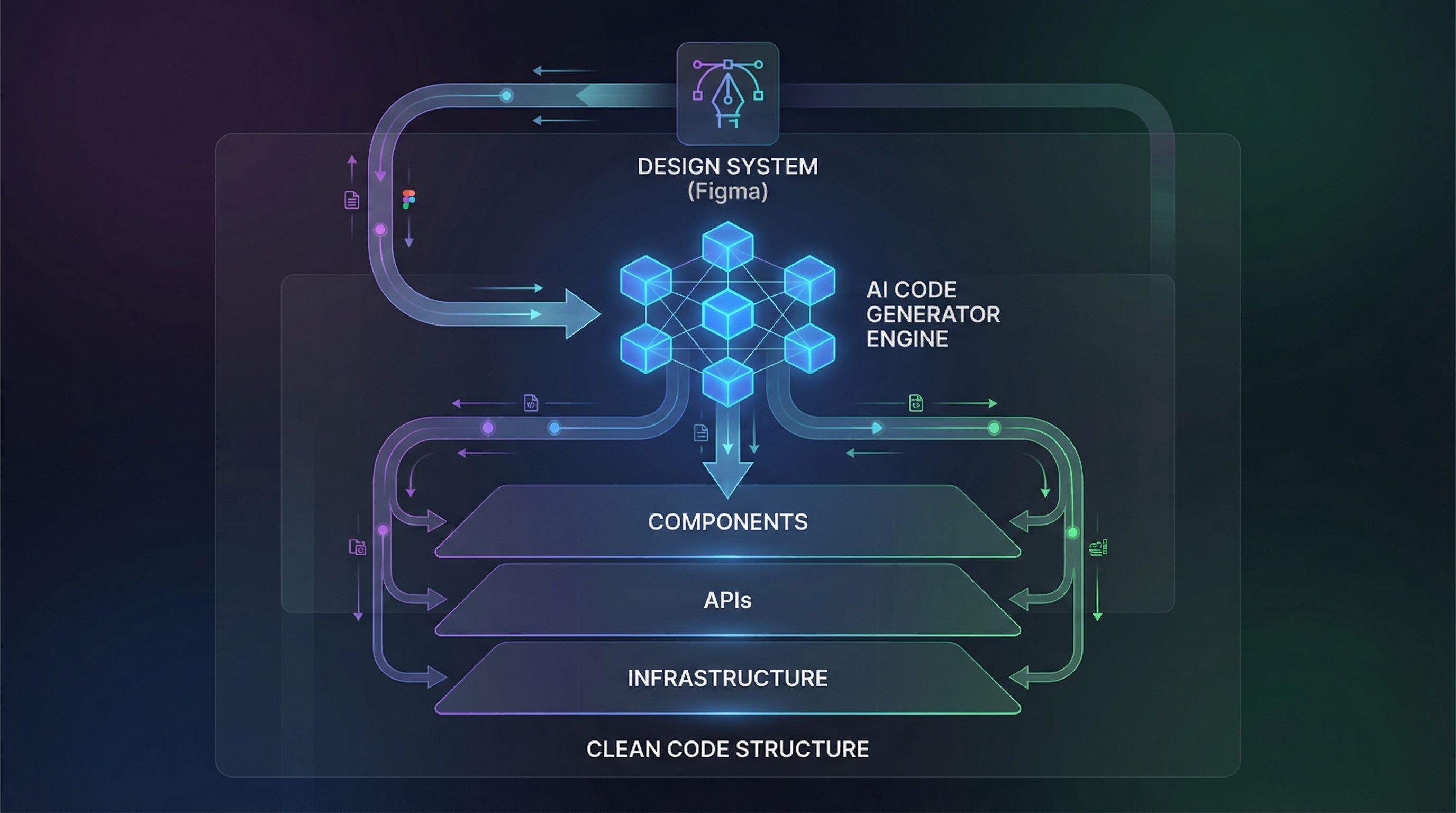
I want to address something that skeptics always bring up: "Sure, AI can generate HTML and CSS, but can it really produce production-ready code?" The answer in 2025 is definitively yes—and it's expanding far beyond the front-end.
Enterprise-grade design-to-code platforms have evolved dramatically. Modern platforms now generate clean, scalable, and secure code including backend logic, APIs, and infrastructure scripts that are genuinely deployment-ready. We've moved past the era of "nice prototype" to actual, maintainable code that fits into real production systems.
What does this mean for your workflow? It means the design tool is no longer the end point—it's the specification layer. You design in Figma. You input your design system, your component library, your styling conventions. The AI learns from these patterns and generates code that adheres to them. The output isn't a generic template; it's code that respects your architecture, your accessibility standards, and your brand specifications.
I've seen teams implement this and completely rethink their handoff process. Instead of developers rebuilding what designers created (introducing inconsistencies and delays), developers now review AI-generated code, validate it against requirements, optimize for performance, and merge it. The relationship transforms from "translation" to "validation and refinement."
The key to making this work is treating your design system as data. Component names, design tokens, spacing scales, color palettes—all of this becomes machine-readable input that the AI uses to generate coherent, maintainable code. Teams that invest in documenting and systematizing their design decisions see dramatically better AI output. The more intentional you are about your design patterns, the better the automation works for you.
Democratizing Design: Creative Power for Everyone
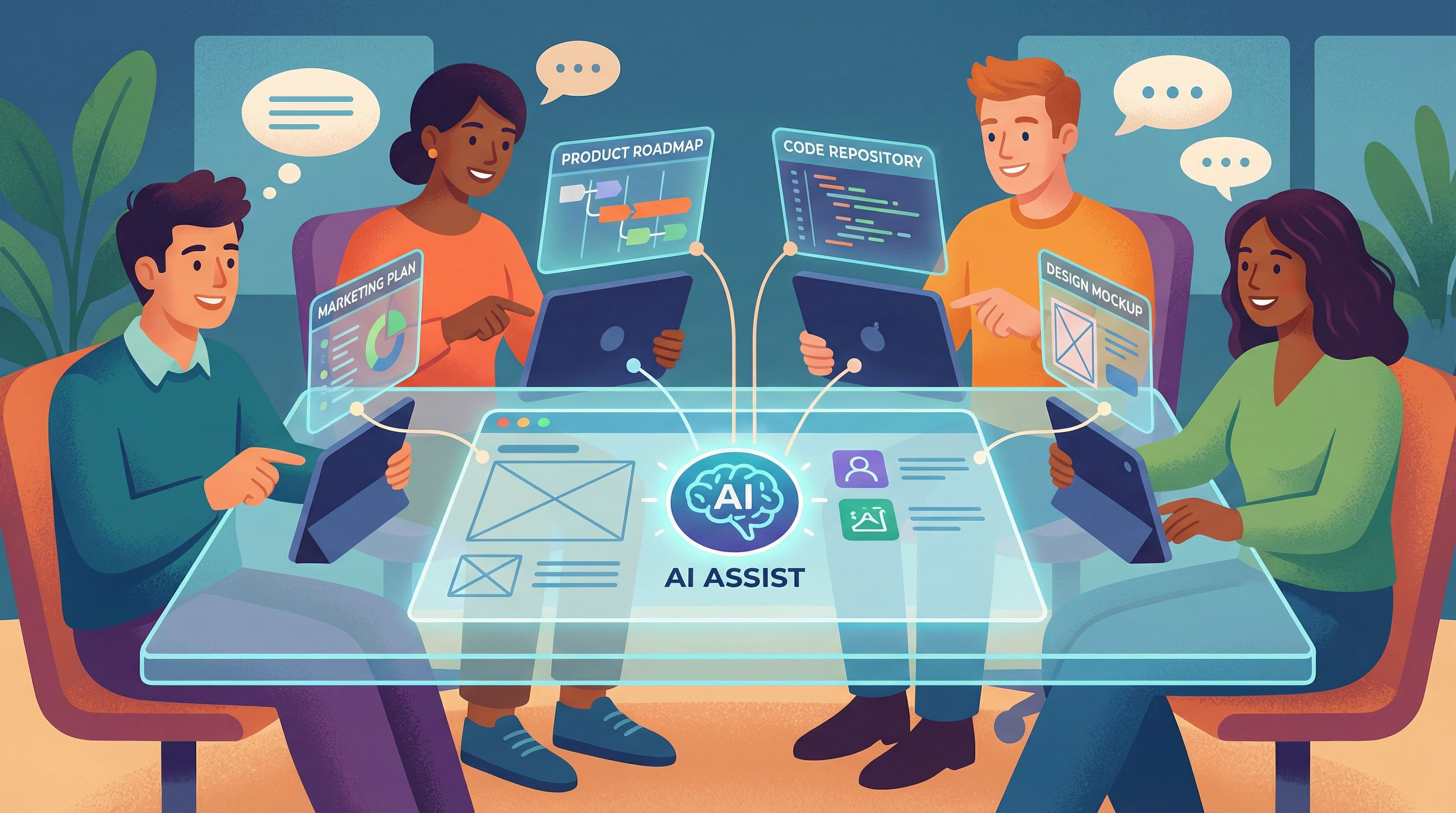
One of the under-discussed impacts of AI-first design-to-code automation is democratization. Professional-grade design and development capabilities are becoming accessible to people who don't have formal training in either discipline.
Marketing teams can now produce high-quality product visuals without waiting for the design team. Product managers can prototype ideas quickly without relying on developers for exploratory builds. Smaller teams can punch above their weight because AI assistance levels the playing field. This expansion of who can participate in design and development work is reshaping entire organizations.
I've worked with marketing teams using AI design tools to create social media content, branding materials, and product visualizations that used to require a dedicated designer on retainer. The quality is genuine—not just faster, but often better because the AI has been trained on vast datasets of professional design work.
However—and this is important—democratization doesn't mean the elimination of design thinking. It means the elimination of the gatekeeping. Someone without formal design training can now use AI tools to execute their vision, but they still need to understand principles of visual hierarchy, color theory, typography, and user experience. The tools are more accessible, but taste and decision-making still matter.
The sweet spot I'm seeing is when non-designers are empowered by AI tools to express their ideas more directly, while professional designers can focus on the strategic, high-level decisions that require experience and intuition. It's not replacement; it's elevation. Everyone gets to participate in creating, but the expertise is redirected toward higher-value work.
Designing for AI: The Human-in-the-Loop Approach That Actually Works
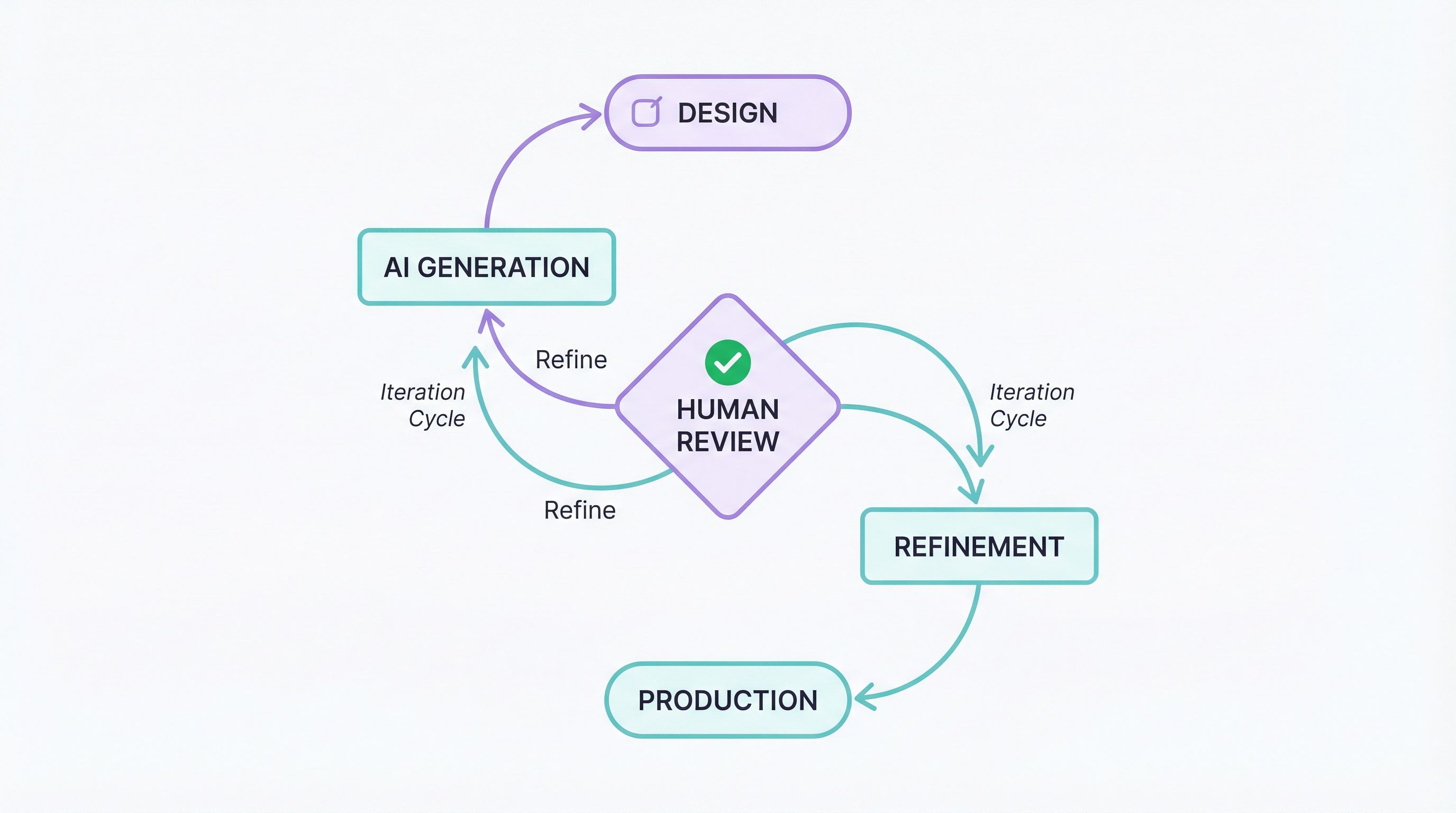
Here's the reality that doesn't get enough attention: the best design-to-code automation isn't fully automated. The teams shipping the best products are using what's called a "human-in-the-loop" approach, and the distinction matters.
Full automation sounds appealing—draw something, get code, done. But in practice, the most effective workflow involves humans making strategic decisions at key points. Figma's research found that successful teams exploring multiple design or technical approaches were significantly more likely to succeed with AI-powered products (60%) compared to unsuccessful teams (39%). That means iteration, testing, and human judgment are still critical.
Here's how I recommend structuring this:
First, establish clear design intent. Before you ask AI to generate code, make sure you've made deliberate choices about your design system, component architecture, and styling approach. The better your design system documentation, the better the AI output. This isn't busywork—it's the foundation everything else builds on.
Second, validate AI output against your requirements. The AI generates code quickly, but you review it. Does it meet accessibility standards? Does it handle edge cases? Does it follow your performance requirements? This validation step is where human expertise adds enormous value. You're not regenerating code—you're ensuring quality at a higher level.
Third, use AI failures as feedback. If the AI generated code that doesn't align with your expectations, that usually indicates your design specifications weren't clear enough. Rather than blaming the tool, use these moments to refine your design system. This creates a virtuous cycle where your design becomes more intentional and the AI output improves.
The teams I see winning with AI-first design-to-code automation are treating AI as a highly capable assistant that handles the mechanical work efficiently, freeing human expertise for strategy, validation, and refinement. That's not limitation—that's leverage.
Building Your Workflow for 2025: Practical Steps Forward
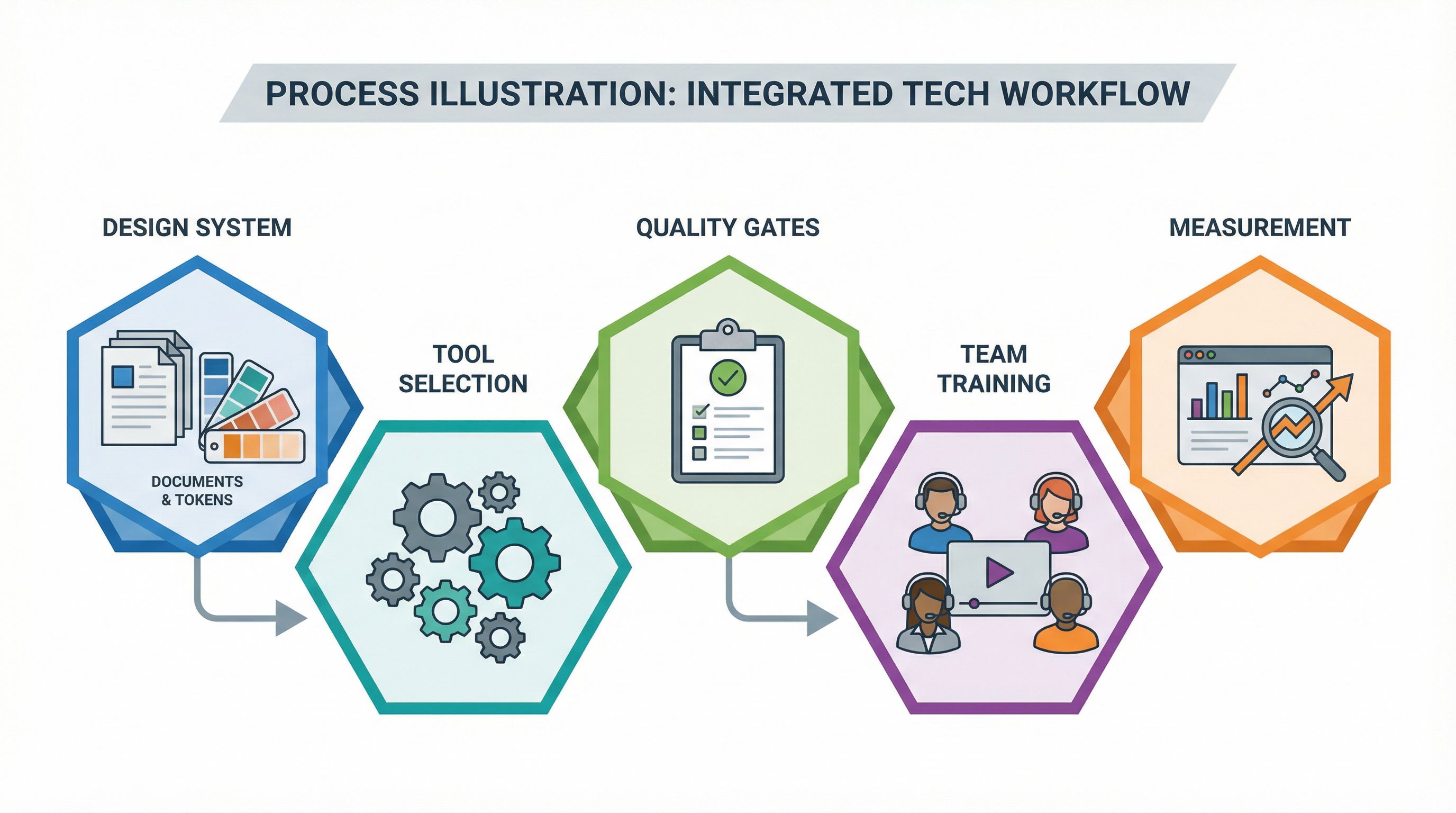
If you're looking at your current design and development process and wondering how to actually implement AI-first design-to-code automation, here's the practical roadmap I'd recommend:
Start with your design system. Before you can leverage AI effectively, your design system needs to be machine-readable. This means using design tokens consistently, naming your components clearly, documenting your patterns, and using your design tool's organizational features intentionally. Tools like Figma make this easier than ever, but it requires discipline. Treat your design system as a contract between design and code.
Choose tools aligned with your stack. Don't pick a design-to-code tool in isolation. Consider your existing tech stack, your team's preferences, and your deployment environment. If your team works in React, prioritize tools that generate clean, framework-compatible code. If you use Tailwind CSS, find tools that leverage that ecosystem. The tool should feel native to your workflow, not orthogonal to it.
Establish quality gates. Even with AI handling code generation, you need clear quality standards. Define what "production-ready" means for your team: accessibility compliance, performance budgets, code style guides, testing requirements. These aren't restrictions on automation—they're specifications that make automation more effective.
Invest in team training. Your team needs to understand how to prompt the AI effectively, how to review generated code critically, and how to use failures as learning opportunities. This isn't intuitive for everyone, especially developers trained in a manual coding paradigm. Dedicate time to actual training, not just tool onboarding.
Measure what matters. Track not just speed (time to production) but also quality metrics: bug escape rates, performance benchmarks, accessibility compliance. This gives you objective data about whether the automation is actually improving your outcomes.
The transition to AI-first design-to-code workflows isn't inevitable—it requires intentional choices about how you organize design work, define standards, and integrate new tools. But for teams willing to invest in that intentionality, the payoff is substantial.